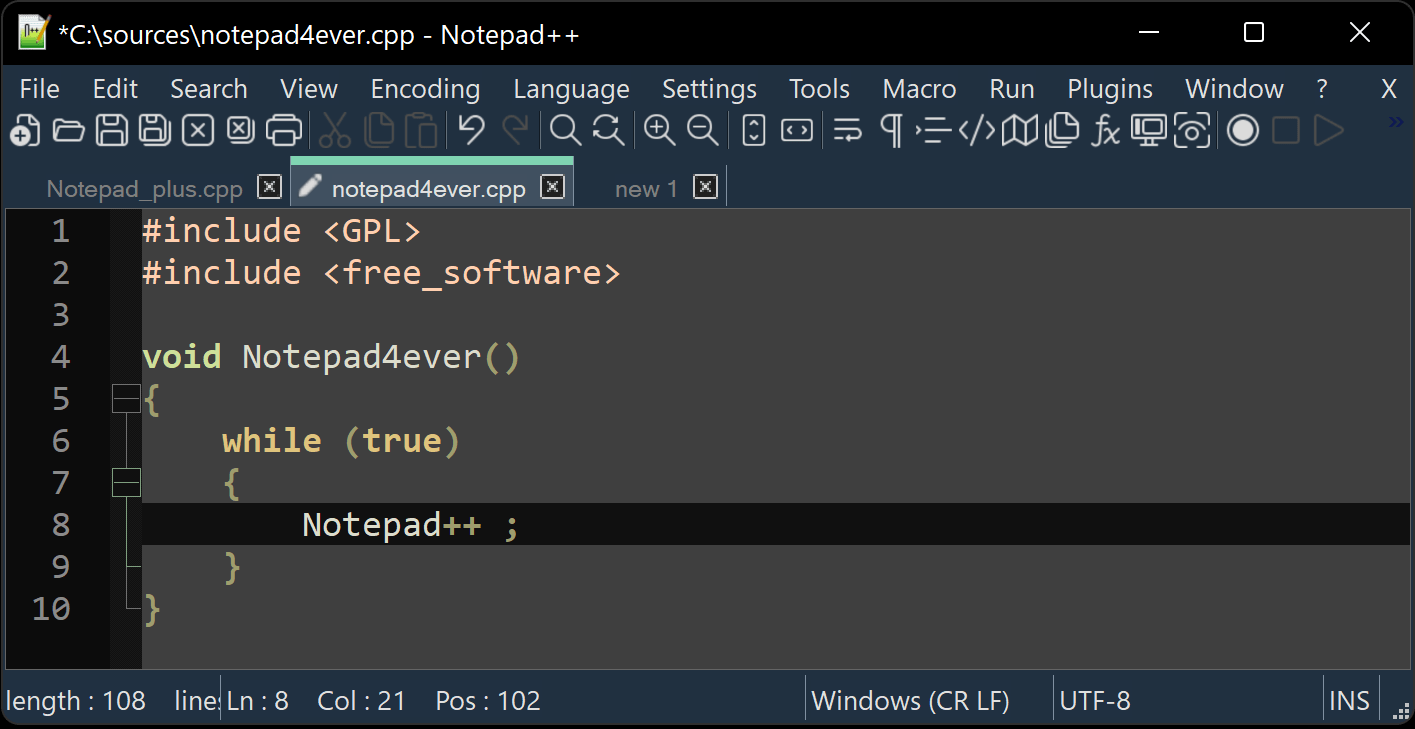
At first glance, Notepad++ may look like a simple text editor—but it is much more than that. It is a powerful, lightweight tool designed for writing code, editing text, and handling a wide range of programming tasks with speed and efficiency.
Completely free to use and open-source, Notepad++ is built for the Windows environment and released under the GNU General Public License. This means you can use it, modify it, and share it freely.
What makes Notepad++ stand out is its ability to combine simplicity, performance, and powerful features into a single, compact program. Whether you are a beginner learning to code or an experienced developer working on complex projects, it offers a reliable and flexible workspace.
Built for Speed and Efficiency
One of the first things you notice about Notepad++ is how fast it feels.
It launches almost instantly, opens large files without delay, and responds quickly to every action. This speed comes from its design:
- Written in C++
- Built using the Win32 API and STL
- Powered by the editing component Scintilla
Because of this efficient foundation, Notepad++ uses fewer system resources than many modern editors.
A Greener Approach to Software
Interestingly, this efficiency has another benefit: reduced energy consumption.
By using less CPU power:
- Your computer works less intensely
- Power usage decreases
- Heat generation is reduced
This may seem like a small detail, but across millions of users, it contributes to a more environmentally friendly way of computing.
A Smart Replacement for Basic Text Editors
Notepad++ is often described as a replacement for the default Windows Notepad—but with far more capabilities.
While basic editors only handle plain text, Notepad++ adds:
- Syntax highlighting
- Advanced search tools
- Multi-tab editing
- Plugin support
It keeps the simplicity of a text editor while adding the power of a development tool.
Supports Many Programming Languages
One of Notepad++’s core strengths is its support for a wide range of programming languages.
It can handle:
- HTML, CSS, JavaScript
- Python, C++, Java
- XML, JSON
- And many more
Each language comes with syntax highlighting, which means:
- Keywords are colored
- Code structure becomes easier to read
- Errors are easier to spot
This makes coding faster and less tiring, especially for long sessions.
Tabbed Editing for Multitasking
Notepad++ allows you to open multiple files at once using tabs.
This means you can:
- Switch between files instantly
- Compare code side by side
- Work on several projects at the same time
Tabs can also be:
- Rearranged
- Split into multiple views
- Managed easily
This feature alone makes it far more powerful than traditional text editors.
Powerful Search and Replace Tools
Searching through text is something most users do often—and Notepad++ excels here.
You can:
- Search within a single file or across multiple files
- Use advanced filters and patterns
- Perform complex replacements quickly
For developers, this is incredibly useful when updating code or fixing repeated issues.
Customization That Fits Your Workflow
Notepad++ is highly customizable, allowing you to shape it to your needs.
You can:
- Change themes (including dark mode)
- Adjust fonts and colors
- Customize keyboard shortcuts
- Modify toolbars and menus
Whether you prefer a minimalist look or a feature-rich interface, you can make Notepad++ feel comfortable and personal.
Plugin System: Expand Its Capabilities
Another major strength of Notepad++ is its plugin system.
Plugins allow you to add new features such as:
- Code formatting tools
- FTP support
- Spell checking
- Version control integration
You can install only what you need, keeping the editor lightweight while expanding its functionality.
Macro Recording for Repetitive Tasks
Notepad++ includes a powerful but often overlooked feature: macro recording.
You can:
- Record a sequence of actions
- Replay them instantly
- Automate repetitive editing tasks
For example, if you need to apply the same formatting change to multiple lines, a macro can save you a lot of time.
Stability and Reliability
Despite its simplicity, Notepad++ is known for being extremely stable.
It handles:
- Large files
- Long editing sessions
- Multiple open documents
without crashing or slowing down.
This reliability makes it a trusted tool for everyday use.
Portable and Lightweight
Notepad++ can also be used as a portable application.
This means:
- You can run it from a USB drive
- No installation is required
- You can carry your setup anywhere
Its small size makes it ideal for users who need a quick, reliable editor on different machines.
Open-Source and User-Focused
As an open-source project, Notepad++ is developed with transparency and community involvement.
This means:
- Regular updates and improvements
- Contributions from developers worldwide
- No hidden features or restrictions
It also respects users by:
- Not including ads
- Not requiring subscriptions
- Not tracking your activity
Who Is Notepad++ For?
Notepad++ is suitable for a wide range of users:
Beginners
- Easy to learn
- Simple interface
- Great for basic coding and text editing
Developers
- Supports many languages
- Powerful tools for editing and debugging
- Customizable environment
Everyday Users
- Useful for editing configuration files
- Handling logs and data
- Replacing basic text editors
What Makes Notepad++ Special?
Among text editors, Notepad++ stands out for several key reasons:
1. Speed and Efficiency
It runs fast and uses minimal system resources.
2. Simplicity with Power
It keeps a clean interface while offering advanced features.
3. Flexibility
Plugins and customization allow it to grow with your needs.
4. Environmental Awareness
Its efficient design helps reduce energy consumption.
Final Thoughts
Notepad++ is a perfect example of how good software doesn’t need to be complicated.
It offers:
- A fast and responsive editing experience
- Support for many programming languages
- Powerful tools for search, customization, and automation
- A lightweight design that respects both your system and the environment
Whether you’re writing code, editing text, or managing files, Notepad++ provides a reliable and efficient tool that simply gets the job done.
And because it is free, open-source, and easy to use, it remains one of the most practical and accessible editors available today.
License: Free and open-source
Website: https://notepad-plus-plus.org/