Opening: Turning Everyday Actions into Shareable Moments
Have you ever wanted to quickly show someone how to do something on your computer? Maybe it’s a step-by-step guide, a bug report, or just a funny moment on your screen. Screenshots can help, but they often fall short when movement is involved.
That’s where ScreenToGif comes in.
The latest version of ScreenToGif takes a simple idea—recording your screen—and turns it into something incredibly useful and flexible. It allows you to capture, edit, and export animations in a way that feels natural, fast, and surprisingly powerful.
What makes it special is not just what it does, but how easily it lets you do it.
A Tool Designed for Simplicity
One of the first things you notice about ScreenToGif is how approachable it is.
When you open it, you’re not overwhelmed with options. Instead, you see a clean interface that lets you choose what you want to record:
- Your screen
- A specific window
- Your webcam
- Or even a drawing board
This simplicity makes it easy for anyone to start using it right away—even if they’ve never created a GIF before.
At the same time, the tool hides a surprising amount of depth beneath its simple surface.
Record Exactly What You Need
ScreenToGif gives you precise control over what you capture.
You can:
- Select a custom recording area
- Resize the capture frame freely
- Adjust frame rate and quality
This means you’re not stuck recording your entire screen. Instead, you can focus only on what matters—whether it’s a small button, a specific app, or a detailed workflow.
The recording process itself is smooth and responsive, making it easy to start, pause, and stop without interrupting your flow.
Built-In Editor: Where the Magic Happens
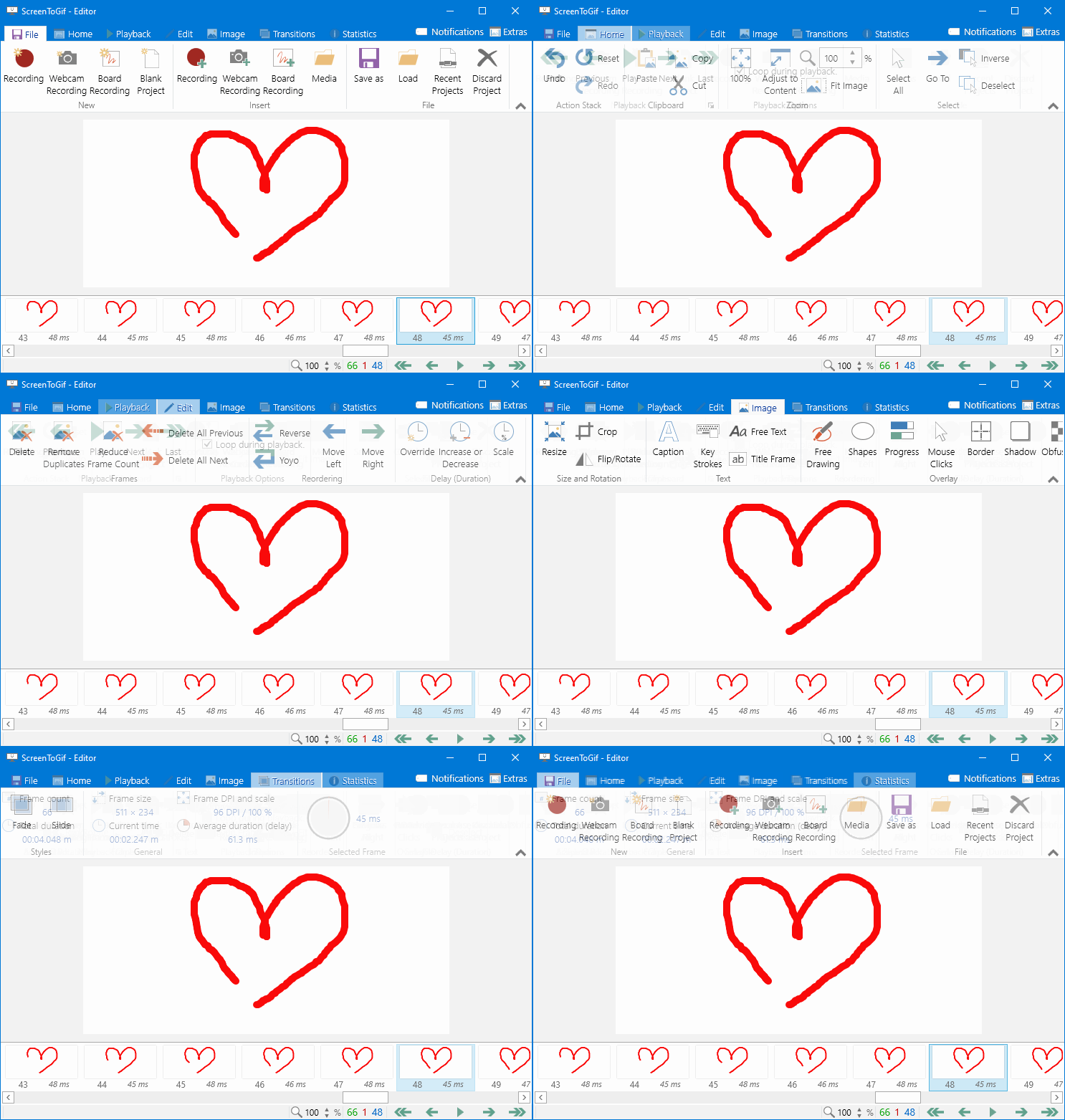
What truly sets ScreenToGif apart is its powerful built-in editor.
Instead of exporting your recording and editing it elsewhere, you can refine everything in one place.
Frame-by-Frame Editing
Every recording is broken into frames, and you can:
- Remove unwanted frames
- Rearrange sequences
- Fine-tune timing
This level of control allows you to create polished results without needing advanced skills.
Add Text, Shapes, and Effects
You can enhance your recordings by adding:
- Captions and annotations
- Arrows and highlights
- Borders and overlays
These features are especially useful for:
- Tutorials
- Presentations
- Instructional content
They help guide the viewer’s attention and make your message clearer.
Smooth and Precise Adjustments
The editor also lets you:
- Change playback speed
- Add transitions
- Apply simple visual effects
All of this can be done with a few clicks, making the editing process both powerful and accessible.
Export Options That Fit Your Needs
Once your recording is ready, ScreenToGif offers several export options.
You can save your work as:
- GIF (the most popular format)
- Video (such as MP4)
- Image sequences
This flexibility allows you to choose the best format depending on where you plan to use the content.
For example:
- GIFs are great for quick sharing
- Videos are better for longer or higher-quality recordings
Lightweight but Surprisingly Powerful
One of ScreenToGif’s biggest strengths is how lightweight it is.
It:
- Runs smoothly on most computers
- Uses minimal system resources
- Starts quickly without delays
Despite this small footprint, it delivers features that rival much larger software tools.
This balance between performance and capability makes it a practical choice for everyday use.
Perfect for Communication and Learning
ScreenToGif shines in situations where showing is better than telling.
It’s especially useful for:
- Explaining software steps
- Reporting bugs
- Creating quick tutorials
- Sharing ideas visually
Instead of writing long explanations, you can simply record your screen and let the visuals do the work.
This not only saves time but also reduces misunderstandings.
No Internet Required, Full Privacy
Another important advantage is that ScreenToGif works entirely offline.
This means:
- No uploads are required
- No data is shared automatically
- Everything stays on your computer
For users who value privacy and control, this is a major benefit.
You can create and edit content without worrying about where your data goes.
Customization and Flexibility
ScreenToGif allows you to tailor the experience to your needs.
You can:
- Adjust recording settings
- Customize shortcuts
- Choose themes and layouts
This flexibility makes it comfortable to use over long periods and adaptable to different workflows.
Open Source and Community-Driven
ScreenToGif is an open-source project, which means it is built and improved by a community of developers and users.
This leads to:
- Regular updates
- Continuous improvements
- Transparent development
It also means the tool evolves based on real user needs rather than commercial pressure.
Real-World Use: Small Tool, Big Impact
Even though ScreenToGif is simple, it can have a big impact on how you work and communicate.
Imagine:
- Sending a quick GIF instead of a long email
- Showing a problem instead of describing it
- Creating a mini tutorial in minutes
These small improvements can make everyday tasks faster and more effective.
Conclusion: A Simple Tool That Does More Than You Expect
The latest ScreenToGif proves that powerful software doesn’t have to be complicated.
It combines:
- Ease of use
- Strong editing tools
- Flexible export options
- Lightweight performance
into a single, easy-to-use application.
Whether you’re creating tutorials, sharing ideas, or just capturing something interesting on your screen, ScreenToGif gives you everything you need—without getting in your way.
It’s a tool that turns simple recordings into clear, engaging visuals—and once you start using it, it quickly becomes hard to live without.
License: Free and open-source
Website: https://www.screentogif.com/